Getting started
Running a monthly review
More sources and clients
How the numbers work
The month view
Where each month is assembled, questioned and reviewed.
Each month has its own page. It shows what the month holds, how it was put together, and anything you need to decide before it is reviewed.
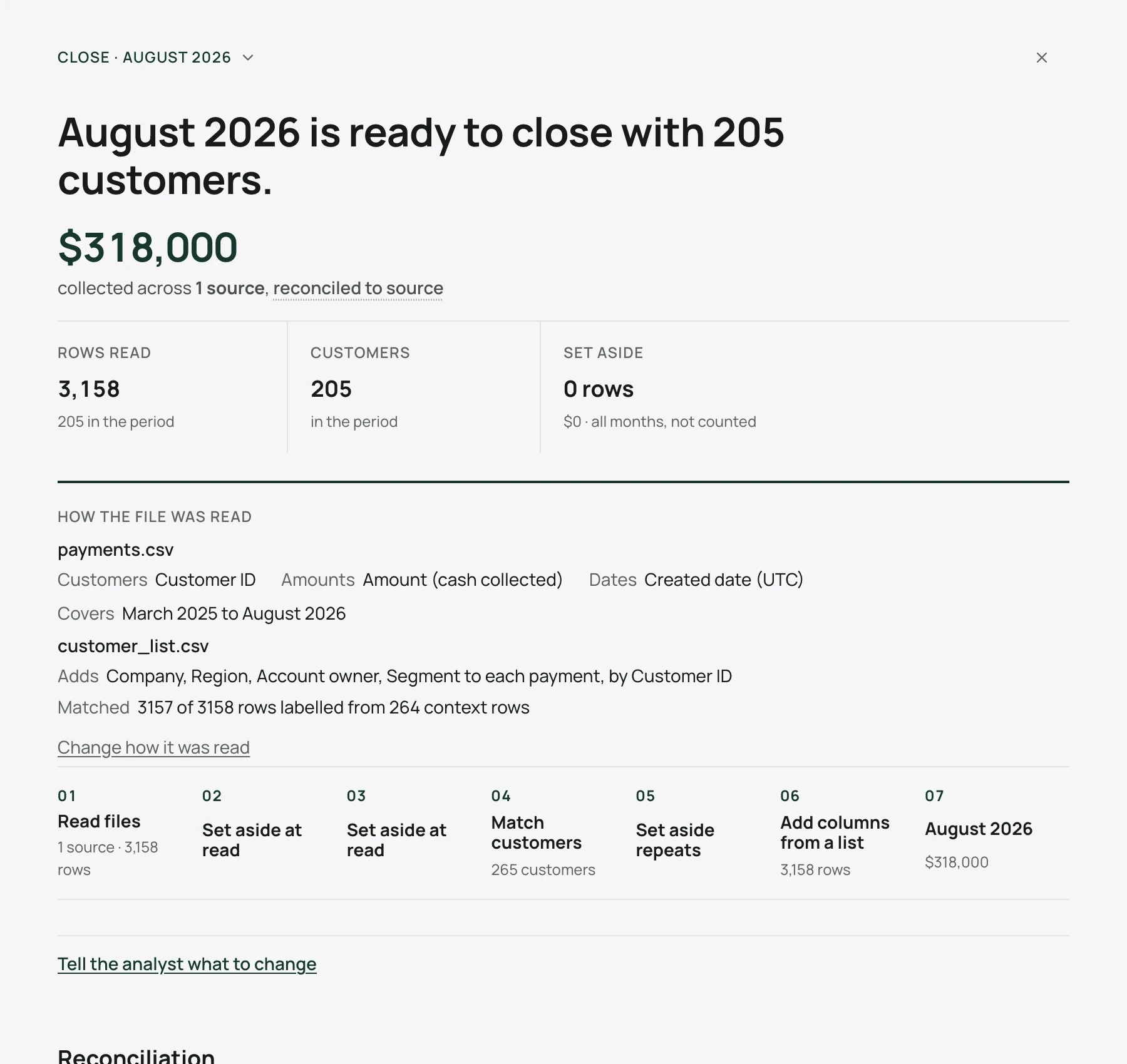
Reading the page, top to bottom
The month | The month under review. Select it to switch to another month your files cover. The page re-runs for that month. |
The headline | The month's state in one sentence, for example August 2026 is ready to close with 205 customers, or what it is still waiting on. |
The total | The month's revenue on the basis in force, with how many sources it was collected from. |
Rows read, Customers, Set aside | How many rows were read, how many customers are in the month, and how many rows were left out and why. |
How the file was read | The columns in use for customers, amounts and dates, the months covered, and what any customer list added. Change how it was read takes you back to the reading. |
The steps | Each step that produced the month, in order, such as reading the files, setting rows aside, matching customers, adding columns from a list, setting aside repeats, and the month itself. See Editing the method. |
Decisions required | Anything only you can settle. See Decisions. |
Reconciliation | How the month's total follows from the rows read. See below. |
Switching months
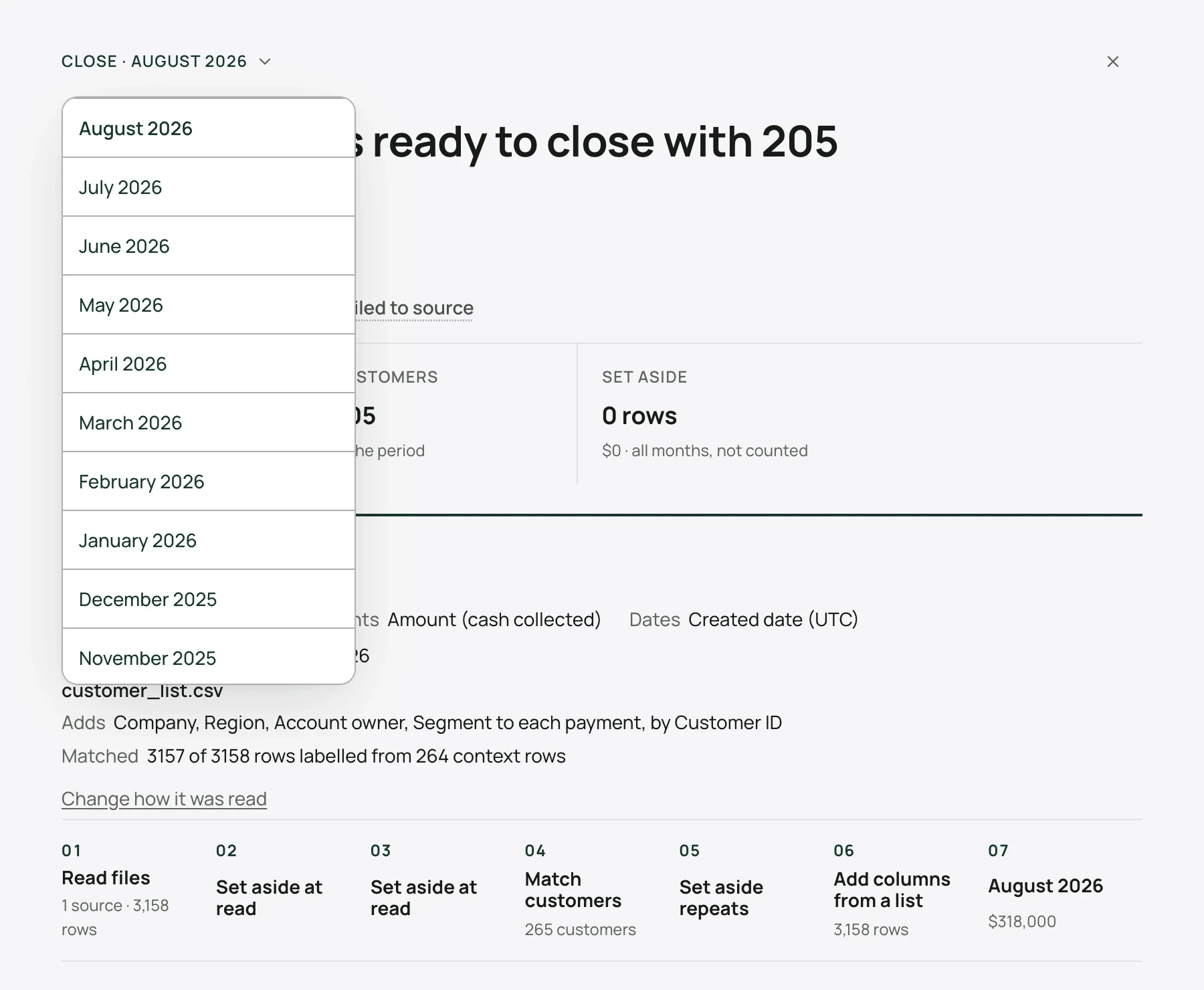
The list shows every month your files hold. Some decisions belong to a single month; they are asked when that month is opened.
The reconciliation
The reconciliation starts from everything read, as received, and takes off each thing that is not in this month: rows set aside by a filter, rows left out by your answer on which rows count, and other months. It ends on the month's total. If a figure on the page surprises you, this is where to see what went into it.
Notes and changes to the method
Morevy may add an observation about the method, for example a step it thinks is missing. Select Tell the analyst what to change to ask for a change in plain words. Morevy proposes it, and you accept or decline it.
Edit the method opens the full set of steps. See Editing the method.
Starting the review
The bar at the bottom says what comes next, for example Next · one decision, then review. When nothing is open it reads Next · start the review of the month, and Start review becomes available.
Starting the review opens a conversation for the month. Morevy states its plan; select Run it. You then get the checks, the revenue movement and a written read of the month.
From there you can ask questions, open any movement, and sign off. See Reading the revenue movement and Signing off and exporting.