Getting started
Running a monthly review
More sources and clients
How the numbers work
Quickstart: your first month
From your billing data to a reviewed, signed month.
This walks through one month from start to finish. It takes about ten minutes with a clean export.
Note. Morevy is invite-only while in early access. If you do not have an account yet, get started on morevy.ai and we will set up your workspace with you.
Step 1: Start a workflow
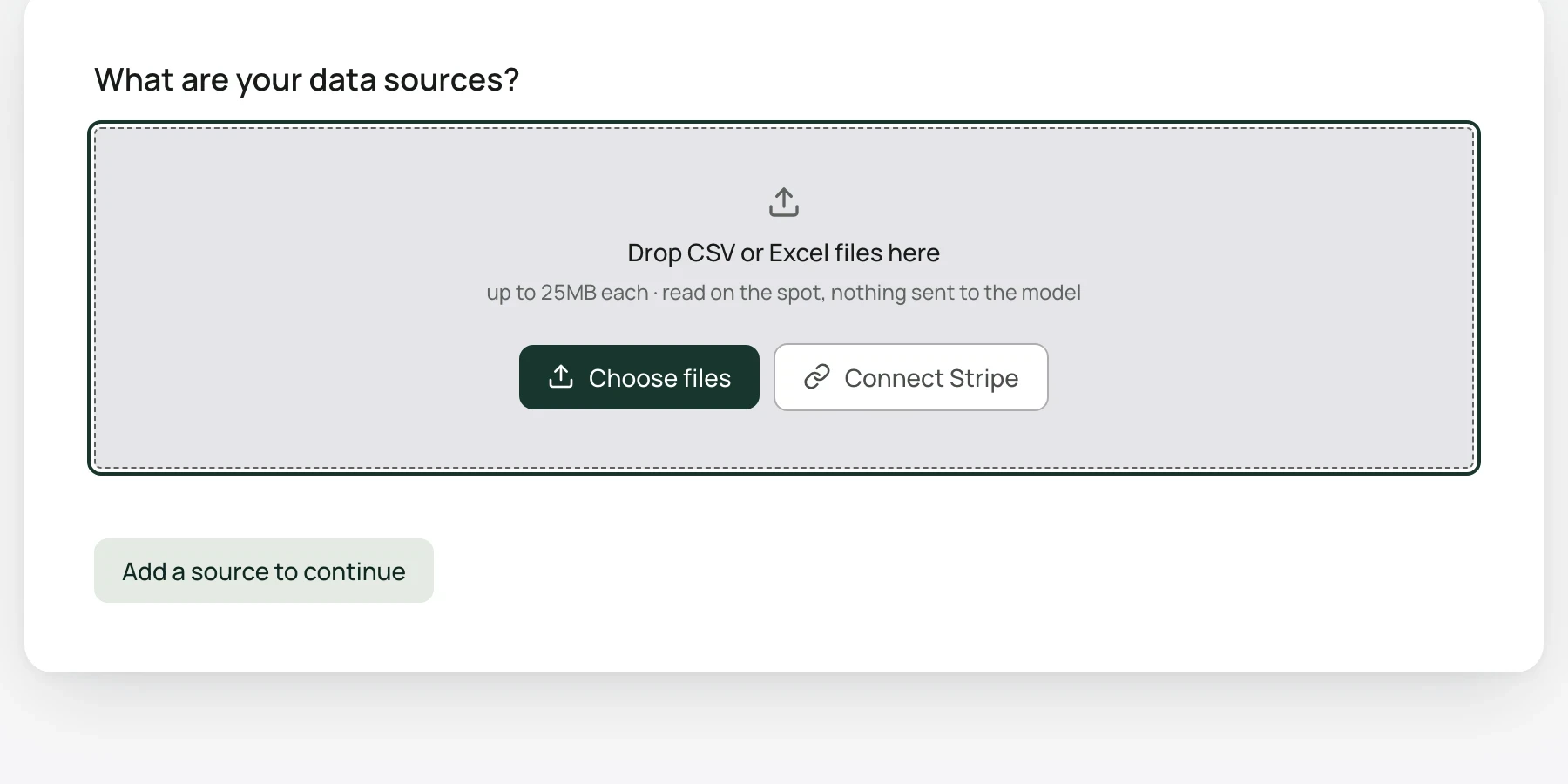
Select New workflow in the left sidebar. The screen asks What are your data sources?
Step 2: Bring your data
Drop a CSV or Excel export into Drop CSV or Excel files here, choose Choose files, or select Connect Stripe. Files can be .csv or .xlsx, up to 25MB and 60,000 rows each.
You can add a second file with one row per customer, such as a CRM export with region, owner or segment. Morevy joins it to the payments so you can break the month down by those columns.
Not sure what to export? See Export your payments or Exporting from Stripe.
No export handy? Download a sample file and use it in Step 2.
Step 3: Check how your files were read
Morevy reads each file and describes it in a sentence under Here's how we'll read your files.
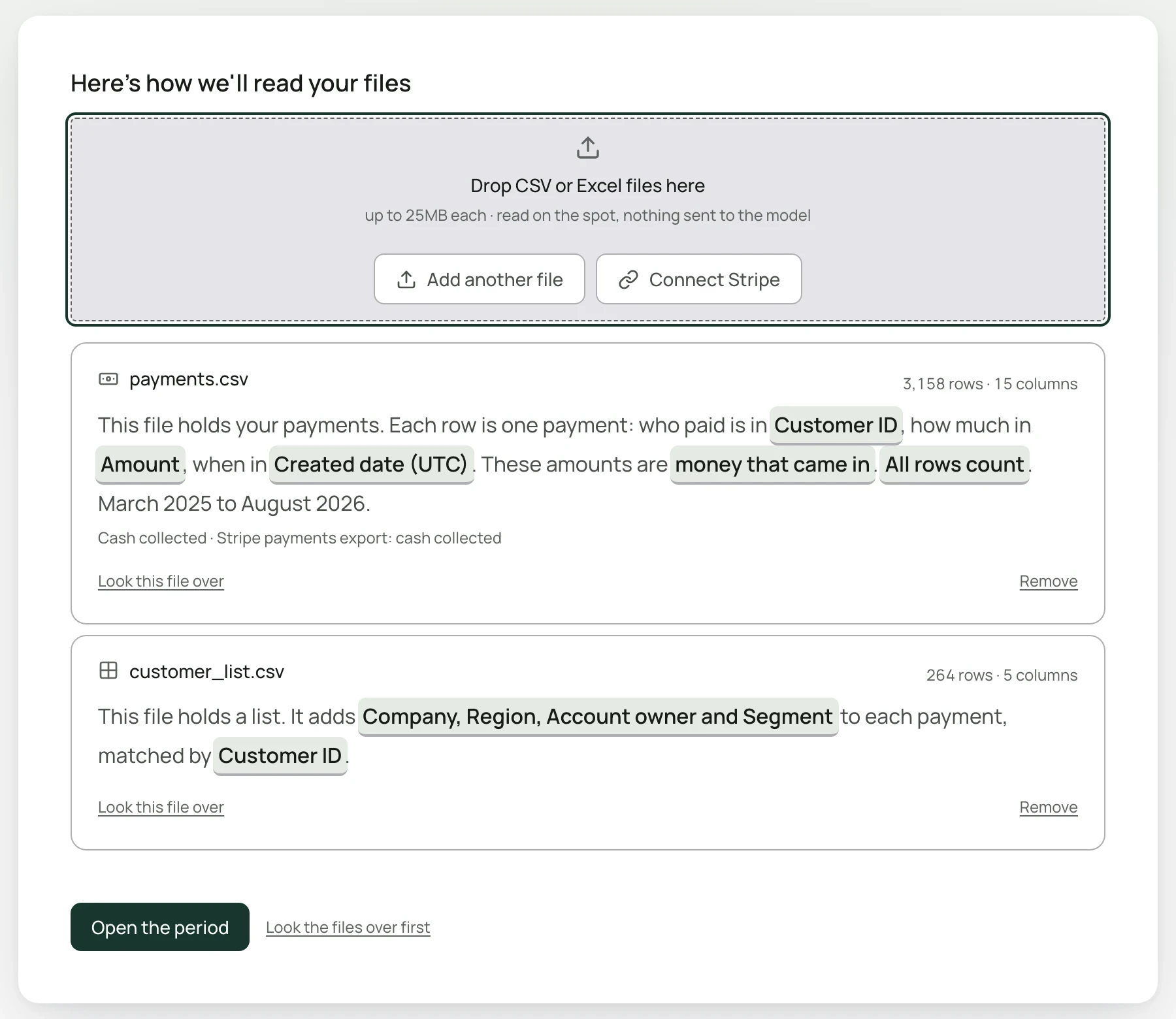
Each highlighted phrase is a choice Morevy made, such as which column says who paid. Select one to change it. The details are on How Morevy reads your files.
Step 4: Open the period
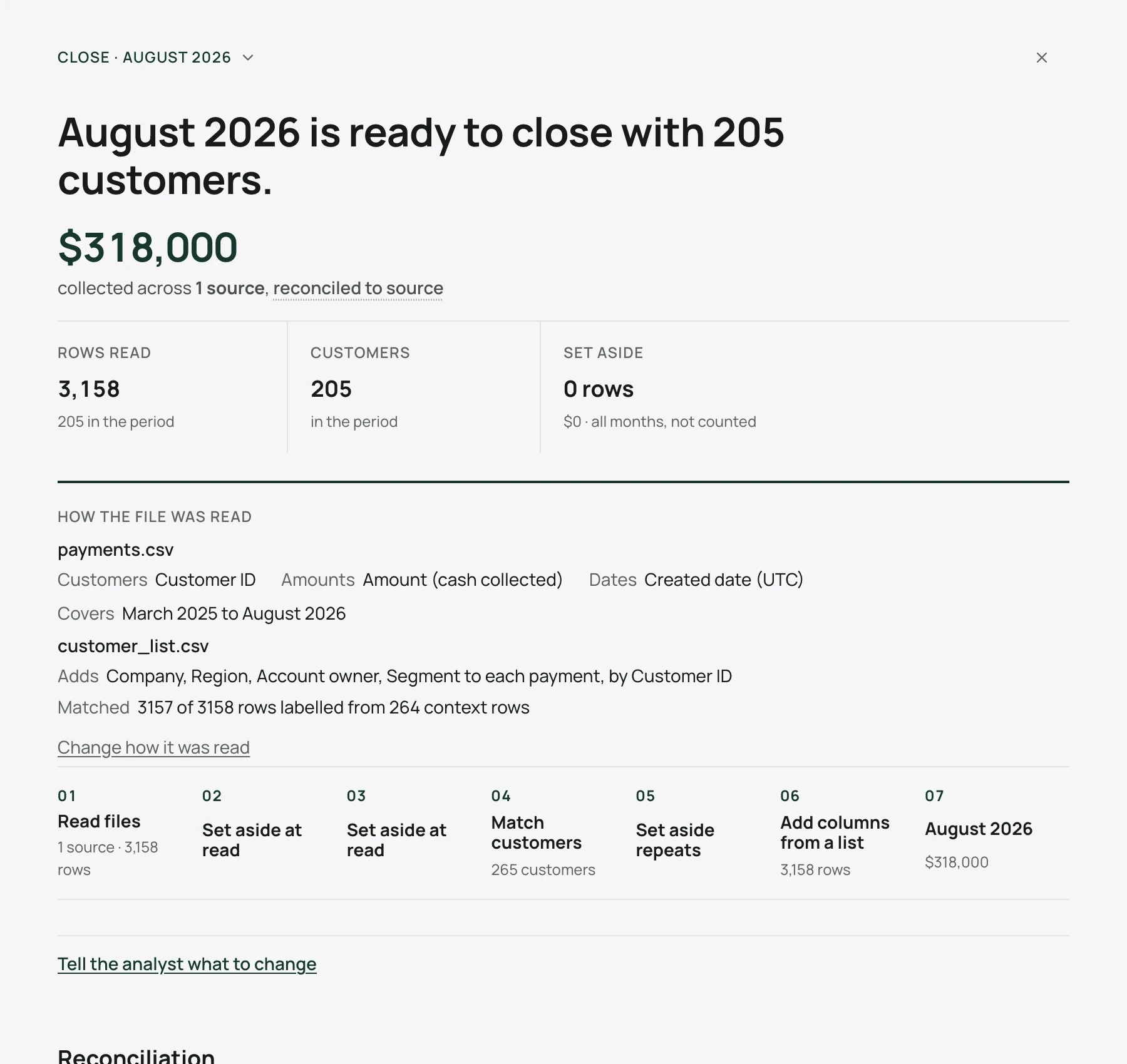
Select Open the period. Morevy assembles a month and opens the month view. Check the month name at the top; if it is not the month you want, select it and choose another. The list shows every month your files hold.
Step 5: Answer any decisions
If Morevy found something only you can settle, it appears under Decisions required, one at a time. Each option says what it will change before you choose it, and the month re-runs as soon as you answer. See Decisions.
Step 6: Start the review
When the bar at the bottom reads Next · start the review of your month, select Start review. A conversation opens with Morevy's plan for the month. Select Run it.
Morevy then shows the checks, the revenue movement, and a short written read of the month.
Step 7: Check a customer you know
Select a movement, such as Lost, to see the customers inside it. Look for a customer whose payments you know and check that Morevy has them right. See Finding the customers behind a figure.
Step 8: Sign off and export
In the panel to the right of the conversation, select the sign-off button for your month, for example Sign off on 2026-08. The panel shows Signed off with your name and the date. Then choose a file under Take it with you. See Signing off and exporting.
Tip. There is also a quicker route. On an empty conversation, select Drop your export, attach the file, and select the button for the month Morevy suggests, for example Close Aug 2026. The review runs in the conversation without the month view. The workflow route above is the one to use for your first month, because it shows you how every row was read.