Getting started
Running a monthly review
More sources and clients
How the numbers work
How Morevy reads your files
The reading of each file, and how to correct it.
When you add files to a workflow, Morevy reads each one and describes it in a sentence. Nothing is calculated until you open the period, and every part of the reading can be changed.
A payments file
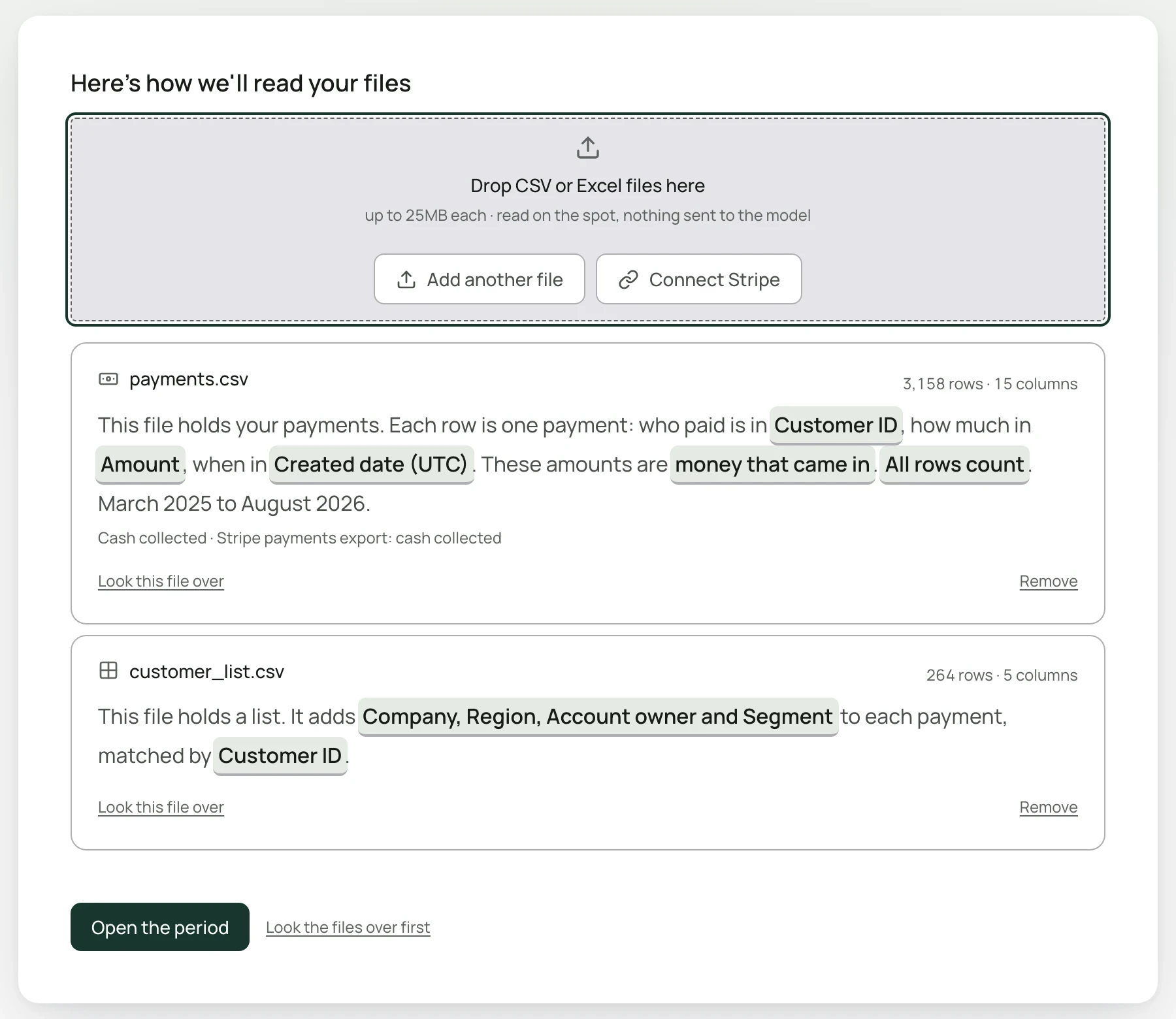
A payments file is read like this:
This file holds your payments. Each row is one payment: who paid is in Customer ID, how much in Amount, when in Created date (UTC). These amounts are money that came in. All rows count. March 2025 to August 2026.
Each highlighted phrase is a choice. Select one to see the alternatives. The column pickers show the values in each of your columns, so you can see which one holds what.
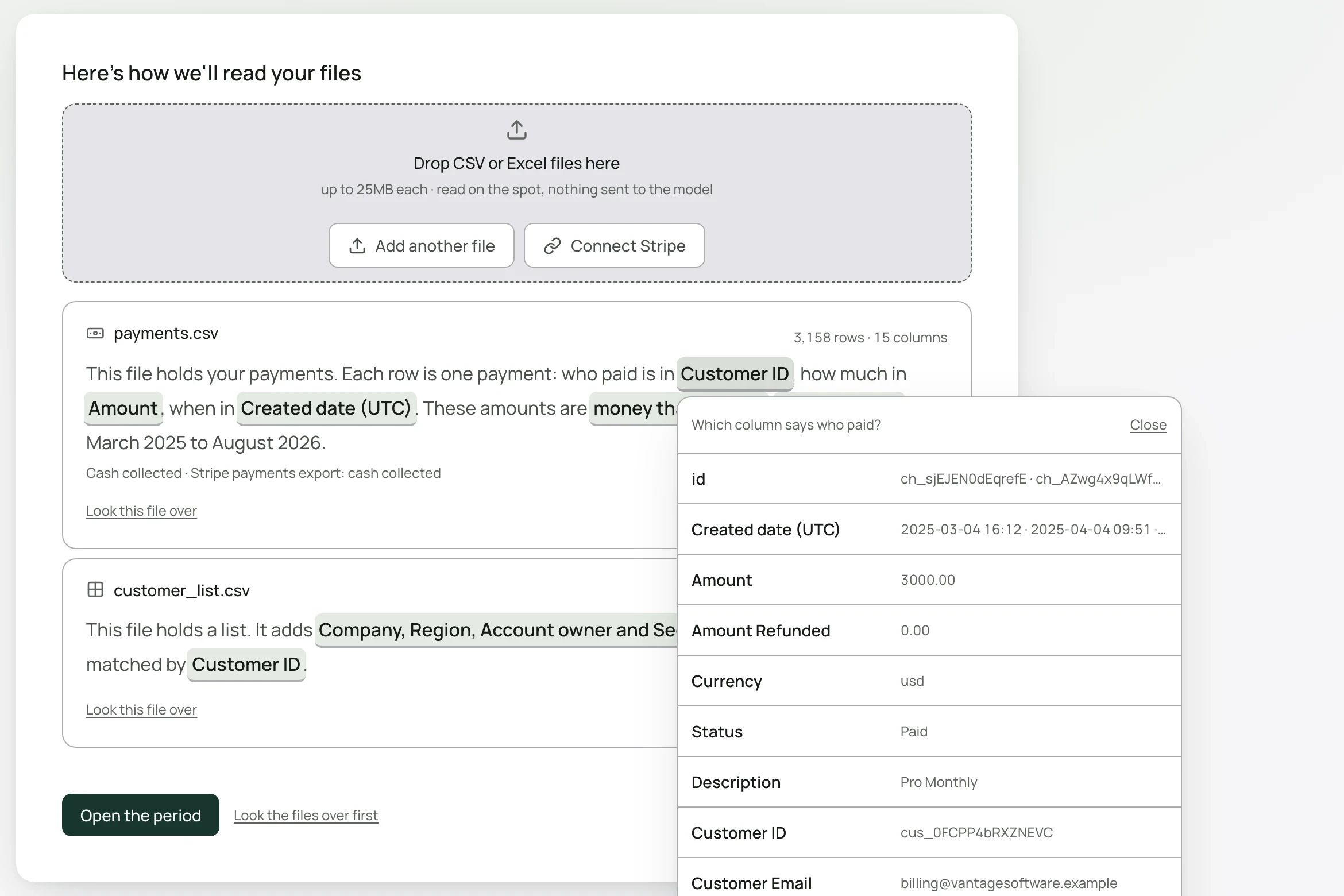
Who paid, how much, when | The customer, amount and date columns. Change any of them if Morevy picked the wrong one. |
What the amounts are | money that came in means payments as collected. Choose a monthly price or a yearly price if your file already states recurring revenue, such as an MRR or ARR column. |
Which rows count | By default every row counts. If Morevy sees values that name one-off charges, such as setup fees or late fees, it asks which rows count as recurring revenue when you open the period. |
Under the sentence, Morevy notes the basis it will report on, for example Cash collected · assumed. See Cash vs recurring revenue.
A customer list
A second file with one row per customer is read as a list:
This file holds a list. It adds Company, Region, Account owner and Segment to each payment, matched by Customer ID.
Change the columns it adds or the column it matches on. The month view later reports how many payments were matched.
What stops you going further
The main button reads Open the period when the reading is complete. Otherwise it says what is missing, for example Add a source to continue or Pick the date column to continue, or tells you that a list matches nothing in the payments and to pick its column or remove it.
Looking the files over first
Select Look the files over first for a closer view of the data before you commit, including the months covered and any blank or unusual values. From there, Looks good, start the analysis continues and Replace the file lets you swap it.
Next month
The workflow remembers how your files were read. When you add next month's export, it takes the same place, and settled answers carry forward unless something new appears in the file.